

No comrce cloudprint account was created
This page covers the screen Es konnte kein Account angelegt werden. (no account could be created). You see it when your organization has no comrce cloudprint account yet and you aren’t its Owner. Only an Owner’s first sign-in creates the account.
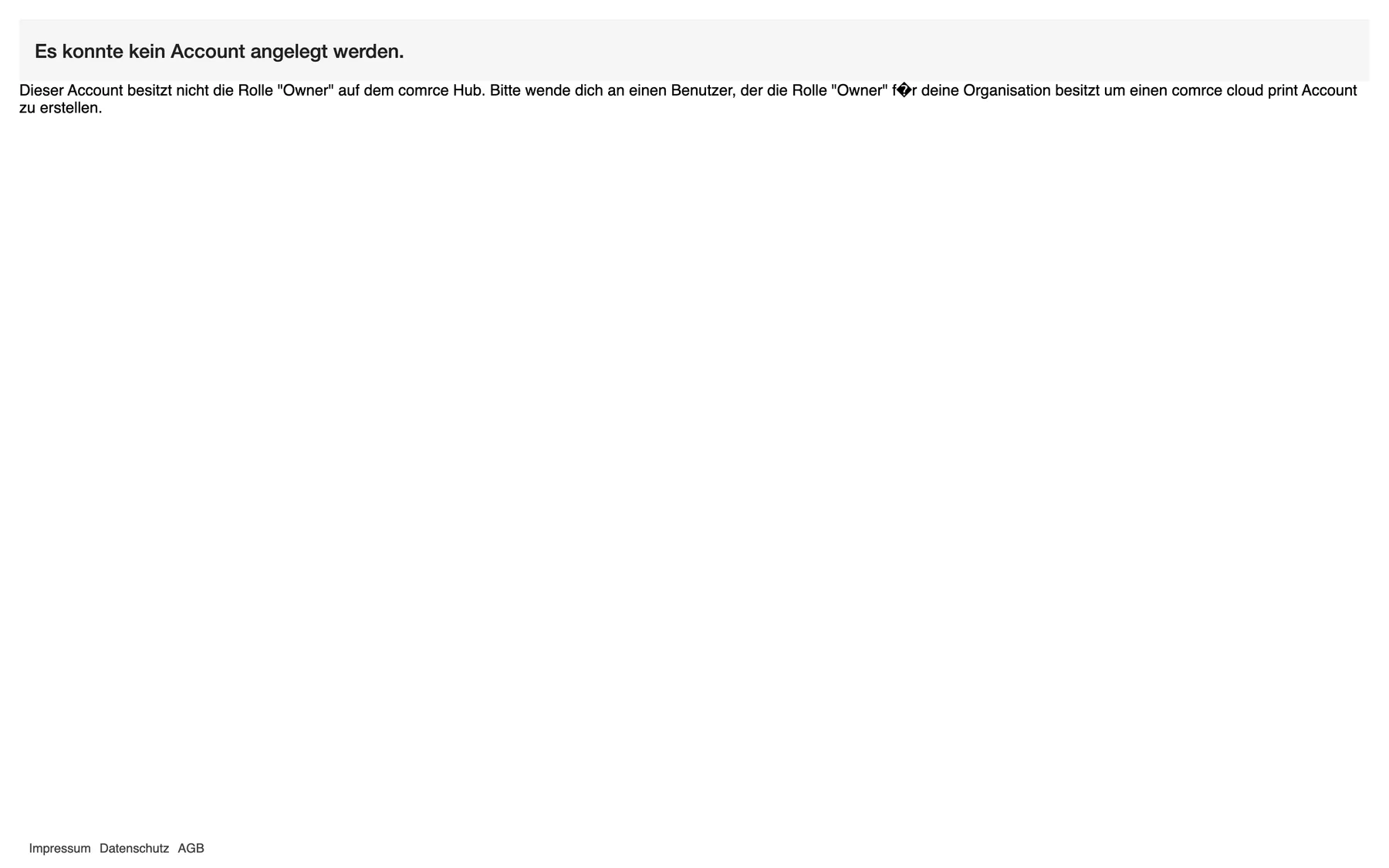
What this screenshot shows
- Screen
- Es konnte kein Account angelegt werden.
- Highlighted
- “Es konnte kein Account angelegt werden.”: says that no account was created
- Also visible
- Text asking you to contact an Owner of your organization; The broken ü in für; No top bar, no menus
- Purpose
- recognise the no-account screen
The screen has no red bar and no menus. Its text asks you to contact an Owner of your organization.
Symptoms
Section titled “Symptoms”| Symptom | What to check, in order | Fix |
|---|---|---|
| You open comrce cloudprint from comrce Hub and see Es konnte kein Account angelegt werden. | Your role in the organization, on the Users tab in comrce Hub. Then whether an Owner has opened comrce cloudprint before. | Ask an Owner of your organization to open comrce cloudprint once. That creates the account. Then open comrce cloudprint again. See Users. |
| The Owner has opened comrce cloudprint, but you still see the screen | Whether the Owner renamed the comrce cloudprint account. New colleagues are matched to the account by its name. | Contact comrce support. Name your organization and the Owner who set up comrce cloudprint. |
| You’re the Owner, yet you see the screen | Whether you work in the right organization in comrce Hub. comrce cloudprint takes the organization from your comrce Hub sign-in. | Switch to the organization you own in comrce Hub, then open comrce cloudprint again. See Working with several companies. |
| After the account exists, you can sign in but see no menus and no download button | Your role in the organization. Only the Owner sees the gear menu and the screens of comrce cloudprint, such as Service- Clients with its setup download. | Nothing is broken. Ask the Owner to make the changes you need. See comrce cloudprint. |
| A colleague or an agency that helps you needs access to comrce cloudprint | Whether the person belongs to your organization in comrce Hub | Only the Owner sets up comrce cloudprint. To let others sign in, invite them in comrce Hub under AccountUsers with Invite a new member, as Member or Partner. They accept within 7 days, then sign in to comrce cloudprint and choose your organization. See Inviting people. |
| Your role in comrce Hub changed, but comrce cloudprint still shows you as before | comrce cloudprint sets your role at your first sign-in and doesn’t update it later | Contact comrce support. Name your organization and the new role. |
| The text shows a diamond with a question mark | The word für on the screen | A known display error. The text reads für deine Organisation (for your organization). |
Still stuck
Section titled “Still stuck”Send comrce support:
- the name of your organization in comrce Hub and your role there
- the email address you sign in with
- the time you opened comrce cloudprint, and a screenshot of the screen
Support can look up whether your organization has a comrce cloudprint account and which Owner created it.